
Bye Antonio

Antonio was an eclectic person, with many interests, among which he favored bridge, the mountains and good food.

It was always a pleasure to meet him, you knew he would tell funny life stories that, thanks to his great oratory, managed to capture the attention of all bystanders.

If the Bisbino had seduced him as a young man, teaching him the love for the mountains, Bormio and its valleys were the holiday destinations most dear to him and of which he knew every corner and ravine.

You could tell from that light that came on when he spoke of Val Viola, Val Zebrù and the Cancano Lakes.

I remember it a few years ago when, having reached the Forni glacier refuge on foot, he said loudly “I’m back” in a tone of voice that clearly indicated a reconciliation with that enchanted corner of Valtellina.

During lunch, rigorously with polenta and eggs, he said that a few years earlier that climb had hurt him (to the heart) and reaching the refuge again had strengthened that long and old friendship that seemed lost.
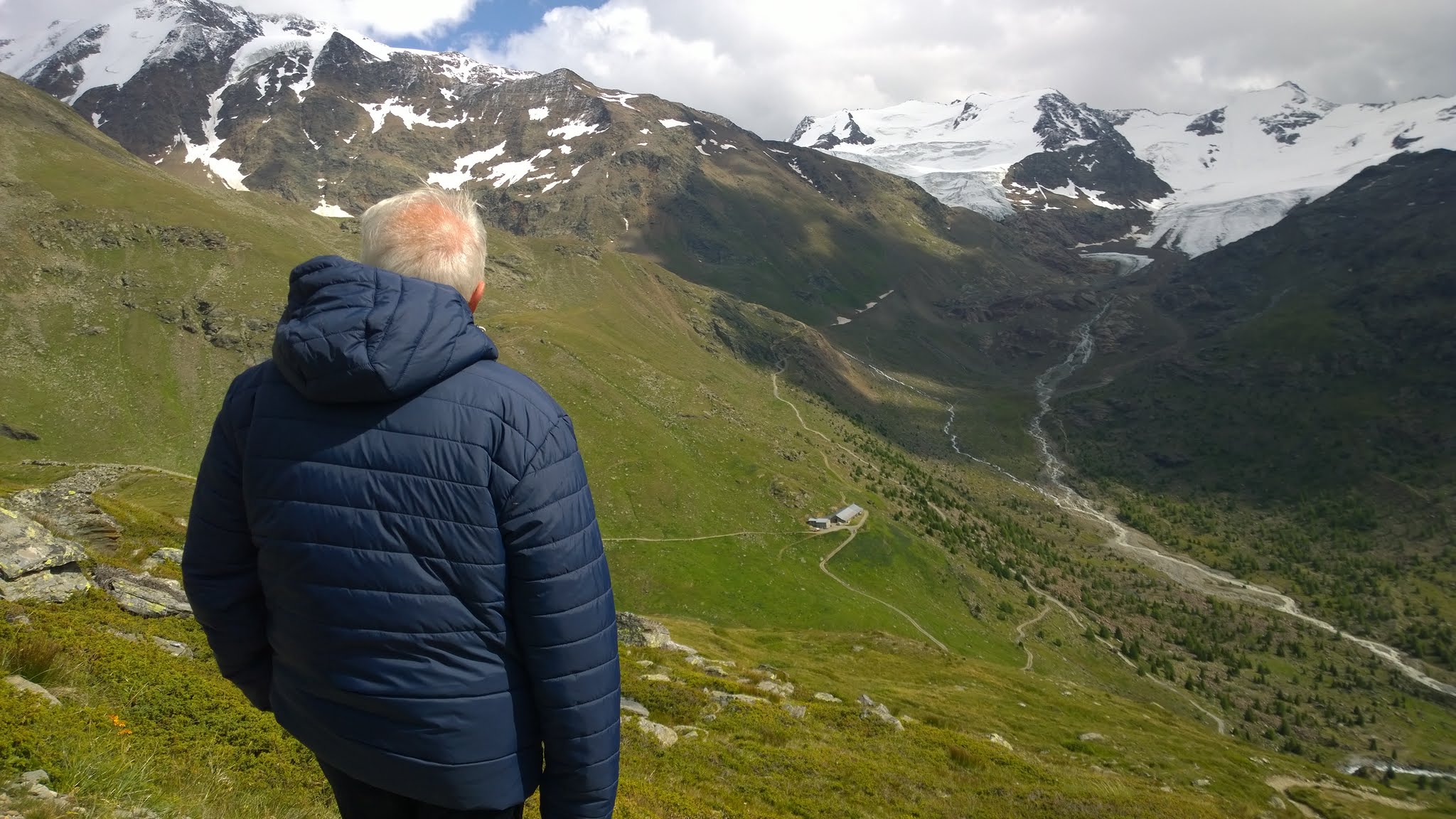
His motto was “It’s all flat!” and he often used it to convince people less accustomed to alpine trails to reach challenging destinations. He rewarded the winners by telling historical anecdotes about the place while they tasted typical dishes of the upper Valtellina.

He was certainly a good fork, his stomach allowed him to digest any dish. He said that if he had a heart as strong as his stomach he could live for another 100 years.

Seeing him then choose dishes from the menu was a real pleasure. He opened the menu, read it carefully (even if he preferred the places where the menu was told) and as if he were already savoring the dishes, before communicating his command, he rubbed his hands asking for some confirmation on the preparation of the dishes.

He was also an authority on the choice of wines, he always knew what to combine with what he ordered, always favoring the cellar over the name of the wine.

Perhaps not everyone knows that Antonio was also a fruit specialist. He knew all types of pears, apples, black cherries … and his true passion was cherries. In years of work, he had discovered and mapped all the “free” plants of the upper Milanese area and often stopped to pick the delicious fruit during his return trips.

His humor was enhanced in situations that seemed complicated.

With the group he had chosen to spend a few days in Tuscia. We had the first dinner in the farmhouse where we were staying, which had meat as a specialty.

While not great, most of us ate our portion.

When the hostess asked for an opinion, one of us criticized the dish by correctly indicating its limits.

Antonio took the ball, got up and with the excuse of wanting to know better the type of wines, he started talking to the owner of the farm.

Arrived at a safe distance, he began an intense conversation of which we did not understand the meaning.

After a few minutes, he returned to the table while the again serene lady headed into the kitchen.

To the mischievous question about what he had promised to make the lady happy, Antonio replied: “I simply said that our diner is a very rich duchess accustomed to fine cuts of meat and who sometimes honors us with her presence”.

As long as we stayed in the farmhouse, the owner always asked Antonio for confirmation whether the Duchess liked breakfast or lunch and we, like restless students in the classroom, barely hid the laughter.

On Wednesday afternoon he had a fixed appointment: the Bridge tournament in Mendrisio.

He was particularly fond of that event and the people who frequented that club. He felt honored to be part of that group and grateful for his friendship with President Luciano. He also often won there and used the francs he won to organize and pay for dinners in the Swiss crotti for his playmates.

In bridge he was well known not only for being a winning player, but above all for his cordial manner.

To those who asked for advice on how he should bid or play a hand, he always gave a detailed answer precisely because he knew that in order not to make the bridge disappear it was necessary to share his knowledge.

He threw himself into every event with the ardor of a twenty year old. Always sitting strictly in the North or in the East.
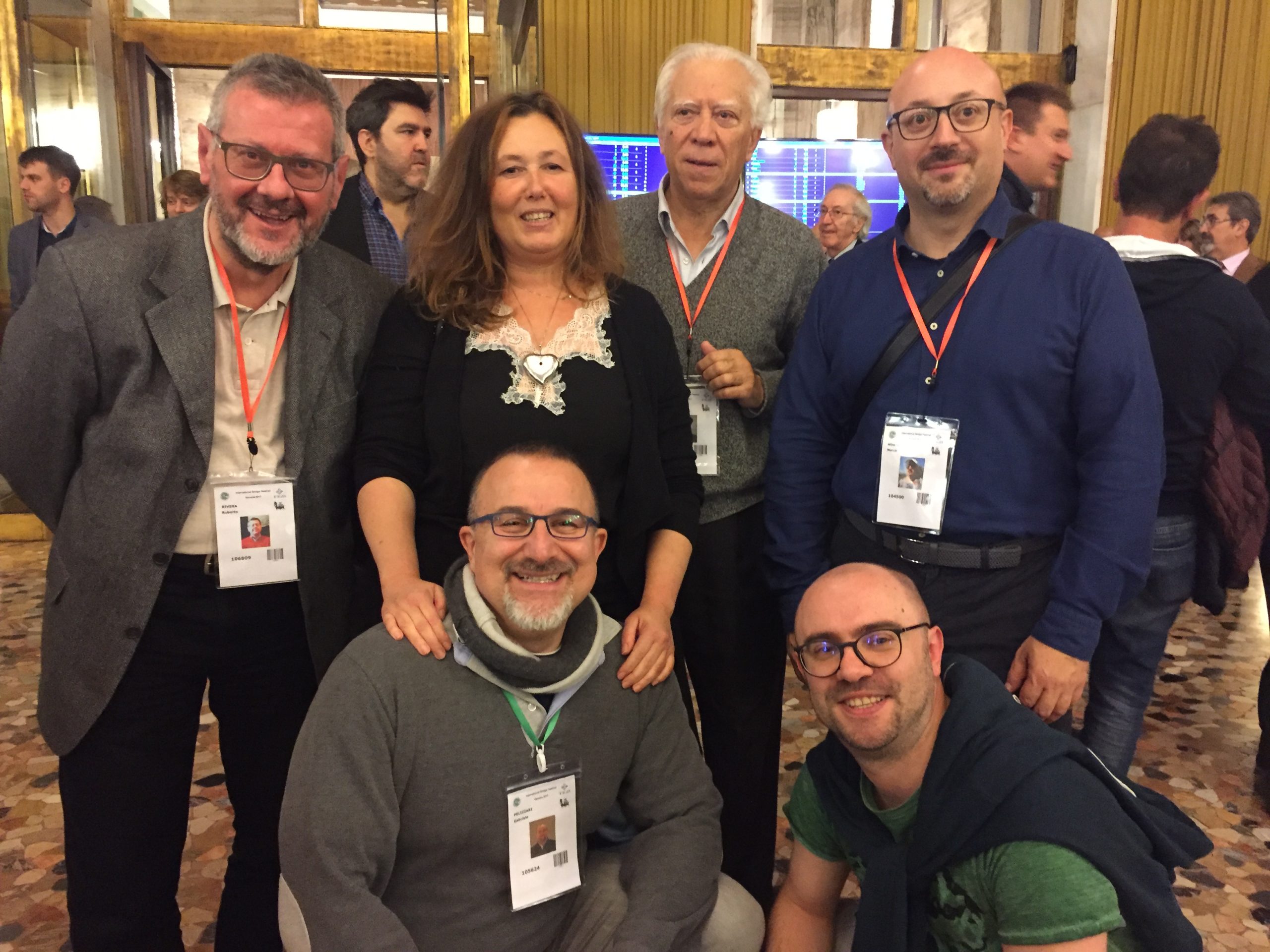
With the group, we took short and long holidays around our beautiful country, which Antonio defined as extraordinary, beautiful, and wounded by an atavistic inability to make it even more receptive to tourism.

The evenings ended with a game of Burraco where he also played with his daughter Bibi and inexorably won those who at that moment had the luck in favor. The teasing of the next day was to tell the miraculous catch that had allowed that illogical game to be a winner (classic in burraco).

Raffaella has been her playmate for the last 11 years and if we have met this wonderful character we must say thanks to her who immediately made him join a heterogeneous group of people united by a passion for the bridge (among other things, before starting the partnership asked me, like a man of yesteryear, if I agreed).

After a few years, I asked Antonio a simple question: he, a great player, how did he manage certain “illogical” plays by Raffaella?

He replied with a maxim that will remain with me forever: “Gabriel, save your breath, you’ll need it.”
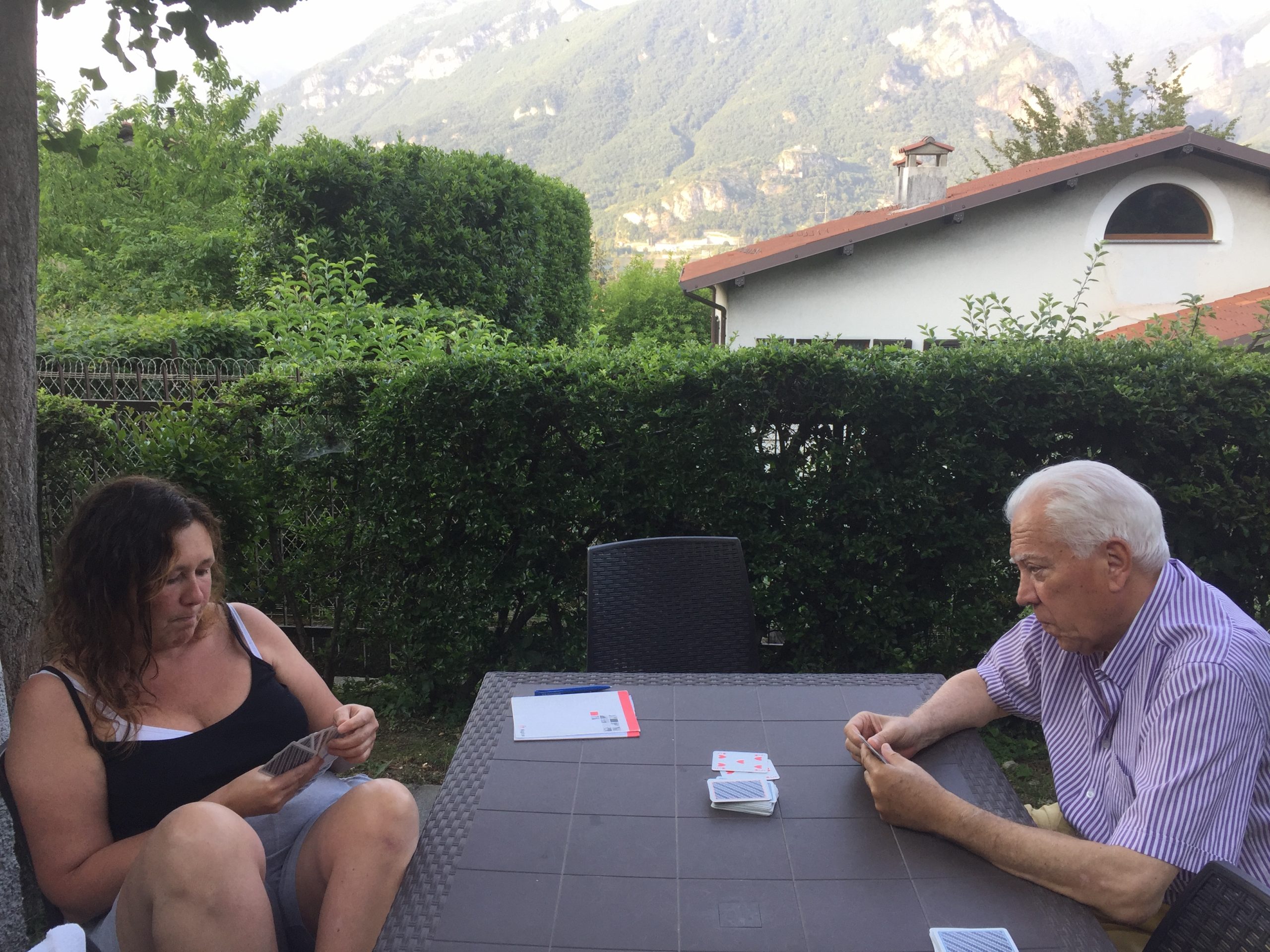
Bye Antonio, I know that you will find your old bridge friends at the table and that you will continue to delight them with your true self.

We will miss you.

War doesn’t make sense Anymore

  • War does not determine who is right – only who is left.  – Bertrand Russell.
  • The more you sweat in peace, the less you bleed in war.  – Norman Schwarzkop.
  • Weakness of attitude becomes weakness of character.  – Albert Einstein.
  • The two most powerful warriors are patience and time.  – Leo Tolstoy
  • The fool who has no sense to discriminate between what is good and what is bad is well nigh as dangerous as the man who does discriminate and yet chooses the bad. – Theodore Roosevelt

Tips VMware – Module MonitorLoop power on failed

Durante le operazioni di manutenzione del laboratorio, improvvisamente una Virtual Machine non era più in grado di avviarsi.

La console del vCENTER indicava un errore sull’inizializzazione del file di swap del server.

Come ogni buon sistemista, prima di effettuare una qualsiasi modifica all’ambiente, ho provato a realizzare il backup della suddetta VM.

Il job si interrompeva a causa del seguente errore: (“An error occurred while taking a snapshot: Invalid change tracker error code“).

Troubleshooting:

  1. Dato che il file di swap gestisce l’over-commitment della memoria, ho provato a modificare la quantità di RAM assegnata.
  2. Ho aggiunto spazio al Datastore sul quale risiedeva la VM per essere certo che VMware avesse sufficiente spazio per gestire il file di swap.
  3. Ho ricercato all’interno del file di configurazione (vmx) differenze rispetto alla configurazione delle altre VM.

Tutti test e le modifiche effettuate non hanno risolto il problema.

Conscio che avrei dovuto modificare la configurazione della VM ho implementato una semplice strategia per:

  • Realizzare il backup della VM attraverso il Veeam Agent for Linux (Il VAL opera a livello di Guest-OS e non di hypervisor).
  • Annotare tutte le modifiche che avrei apportato alle VM (ndr: avevo indossato il cappello di Pollicino, in grado cioè di tornare alla configurazione iniziale in poco tempo).

Il metodico approccio “cambia, annota, controlla e accendi” mi ha permesso di scoprire che il problema era legato alla configurazione della CPU della Virtual Machine.

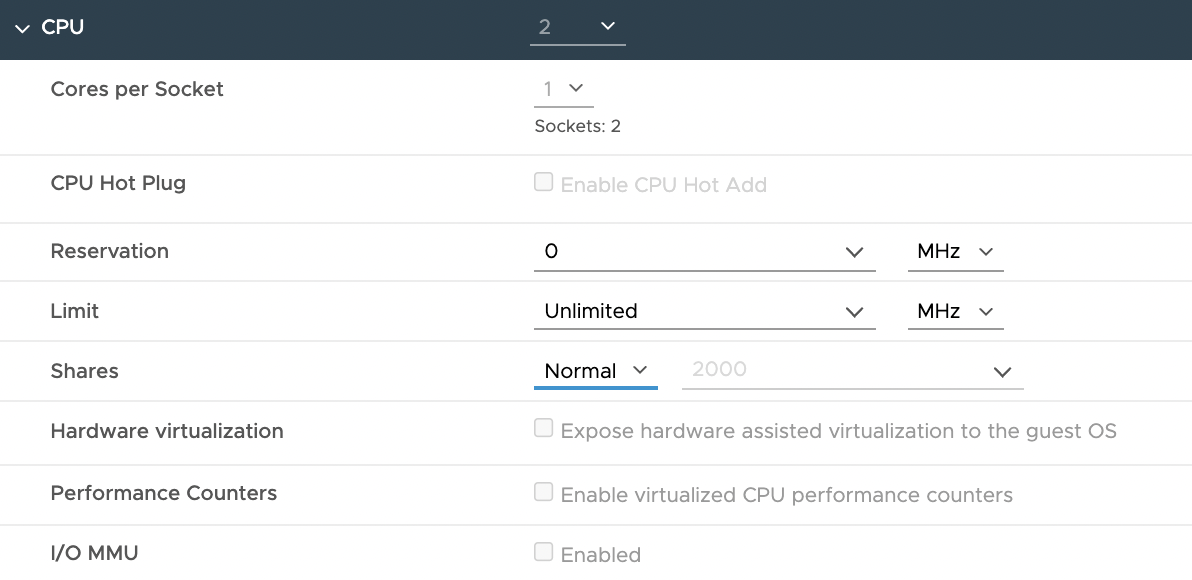
Reimpostando infatti i valori “CPU reservation” a Zero e “CPU share” a Normal (vedi immagine 1) il problema è rientrato permettendomi così di avviare la VM e effettuarne il backup.

Sapiens nihil affirmat quod non probet (il saggio non afferma nulla che non possa provare)

Immagine 1

Tips VMware – Module MonitorLoop power on failed

During laboratory maintenance operations, suddenly a Virtual Machine was no longer able to start.

The vCENTER console reported an error in initializing the server swap file.

Like any good system engineer, before making any changes to the environment, I tried to back up the aforementioned VM.

The job stopped due to the following error: (” An error occurred while taking a snapshot: Invalid change tracker error code “).

Troubleshooting:

  1. Since the swap file handles memory over-commitment, I tried to change the allocated amount of RAM.
  2. I added space to the Datastore on which the VM resided to make sure VMware had enough space to manage the swap file.
  3. I searched in the configuration file ( vmx ) for differences with respect to the configuration of the other VMs.

All tests and changes made did not solve the problem.

Aware that I would have to change the VM configuration, I implemented a simple strategy to:

  • Backup the VM through the Veeam Agent for Linux (The VAL operates at the Guest-OS level and not at the hypervisor level).
  • Write down all the changes that I would have made to the VMs (editor’s note: I had worn Hop-o’-My-Thumb‘s hat, that is, able to return to the initial configuration in a short time).

The methodical ” change, note, check and turn on” approach allowed me to discover that the problem was related to the CPU configuration of the Virtual Machine.

In fact, by resetting the ” CPU reservation ” values to Zero and ” CPU share” to Normal (see image 1), the problem went away, allowing me to start the VM and back it up.

Sapiens nihil affirmat quod non probet (A wise man says nothing that he cannot prove)

Picture 1

MySQL Backup & Veeam Backup & Replication Parte 2

In questo secondo articolo è illustrato dove ricercare gli script per realizzare backup consistenti di DataBase MySQL con Veeam Backup & Replication.

Per scoprire perché sia necessario utilizzare script, vi raccomando di leggere il precedente articolo.

Hot Backup Database Online Dump (Linux)

L’opzione prevede di integrare negli script il comando mysqldump.

Due esempi sono consultabili al seguente sito:

HotBackup Database Freeze (Linux)

L’opzione prevede di effettuare a caldo il flush delle tabelle.

Due esempi sono consultabili al seguente sito:

Cold Backup Database Shutdown (Linux)

L’opzione prevede di fermare il servizion MySQL prima di realizzare il backup.

Due esempi sono consultabili al seguente sito:

Hot Backup Database Online Dump (Windows)

Il seguente esempio in poweshell è puramente dimostrativo. Il mio consiglio è quello di chiedere al vostro esperto in powershell di crearne uno che rispetti le politiche aziendali di gestione e sicurezza.

Pre command (avvia lo script mySQLdump.ps1 sul server YOURMYSQLSERVER)

$password = ConvertTo-SecureString “YOURPWD” -AsPlainText -Force

$Cred = New-Object System.Management.Automation.PSCredential (“DOMAIN\USER”, $password)

New-PSSession -ComputerName mySQL-WIN -Credential $Cred

#Enter-PSSession -ComputerName YOURMYSQLSERVER

#Invoke-Command -Session 6 -FilePath “C:\Script\script-7.ps1” -ComputerName mySQL-WIN

Invoke-Command -ComputerName mySQL-WIN -Credential $Cred -ScriptBlock { C:\Script\mySQLdump.ps1}

mySQLdump.ps1 (Crea il file .sql che viene memorizzato in una specifica cartella sul server YOURMYSQLSERVER)

# Declare variables

$path = “/backups”                      # path of backup folder

$logFile = “automate-mysqldump.log”     # path of log file

$configFile = “C:\ProgramData\MySQL\MySQL Server 5.6\my.ini”           # path of my.cnf file

# Navigate to the backups folder

Set-Location $path

# get today’s date to name today backup folder

$date = Get-Date -UFormat “%Y-%m-%d”

# Check for log file

# Create if not found

if (-NOT (Test-Path $logFile)) {

    New-Item -Path . -Name $logFile -ItemType “file”

    Add-Content $logFile “Created on: $date`n”

}

# enter directory

# create today’s backup directory if it does not exist

if (-NOT (Test-Path $date)) {

    New-Item -ItemType “directory” $date

    Add-Content $logFile “[$date]: New $date directory is created”

}

# Set-Location $date

Add-Content $logFile “[$date]: Starting mysqldump”

# invoke mysqldump – insert mysqldump statement

mysqldump –defaults-file=$configFile -r $date/database-backup.sql –all-databases

Add-Content $logFile “[$date]: Backup for databases are completed”

Add-Content $logFile “”

# pause

 Post command (chiude la sessione remota)

Remove-PSSession -ComputerName YOURMYSQLSERVER

Nel prossimo articolo sarà illustrato come integrare gli script in Veeam Backup & Replication.

MySQL Backup e Veeam Backup & Replication – Parte 1

Il presente articolo illustrerà come implementare una strategia di protezione dei dati in ambienti MySQL.

Partiamo da una considerazione.

Per realizzare backup consistenti da un punto di vista applicativo, è necessario che prima che sia avviato  il processo di copia, l’applicazione abbia scritto su disco tutti i dati in memoria (flush).

Ad esempio, le applicazioni Microsoft® utilizzano una tecnologia denominata Shadow Copy che attraverso il coordinamento di driver VSS realizza la consistenza applicativa.

Una tecnologia simile non è disponibile su Linux ed in più MySQL non la supporta in ambiente Microsoft®.

Come ovviare?

Attraverso la creazione di script che automatizzino la consistenza applicativa prima di avviare la creazione della Snapshot.

Compreso questo aspetto, torniamo all’ambito dell’articolo, introducendo le opzioni disponibili per MySQL.

Nota 1: La consistenza applicativa avviene prima della creazione della snapshot.

  • 1. Backup Logico: Lo script crea un file con l’estensione .sql che in caso di ripristino permette la ricreazione del database e dei suoi dati.

Il file .sql è creato attraverso il comando nativo MySQL “mysqldump”.

I vantaggi del backup logico possono essere riassunti in:

  • Non vi sono dipendenze con software di terze parti.
  • I backup possono essere ripristinati su altri server.
  • 2. Backup Fisico/Cold: Sono create copie a freddo dei file del DB (ad esempio: ibdata, .ibd, .frm, ib_logfile, my.cnf).

Per essere certi che i backup siano realizzati in modalità “consistenza applicativa“, prima di effettuare la snapshot, è      indispensabile fermare i servizi MySQL.

E’ una strategia di backup di norma implementata in ambienti che non richiedano operatività 24×7.

Nota 2: Il servizio viene fermato solo per il tempo necessario alla creazione della snapshot e non per l’intera durata del backup.

  • 3. Backup Fisico/Hot: Se è in esecuzione il motore InnoDB, lo script permette la realizzazione di copie consistenti senza fermare i servizi (utilizzando ad esempio il comando mysqlbackup componente della suite Enterprise di MySQL (MySQL Product)).

Ora che conosciamo le opzioni di scripting disponibili, vediamo come le soluzioni Veeam possano integrarsi nativamente con gli  ambienti MySQL.

La prima opzione disponibile è il Veeam Agent for Linux (VAL) che automatizza le seguenti quattro fasi:

  1. Flush dei dati dalla memoria al disco (consistenza applicativa).
  2. Creazione della snasphot.
  3. Rilascio delle tabelle.
  4. Avvio del processo di Backup.

Nota 3: Come indicato nella prima parte dell’articolo, se il DB è del tipo MyISAM è possibile effettuare il backup con il blocco di tutte le tabelle.

I pre-requisti del VAL sono:

  • Versione di MySQL maggiore o uguale alla 5.8.
  • Sistema operativo sia Linux.

Domanda: E’ possibile effettuare il backup in ambienti Windows e dove la versione di MySQL è inferiore alla versione 5.8?

La risposta è si e gli scenari disponibili sono:

Backup Logico -> Hot-Backup Database Online Dump -> Comando mysqldump.

Backup Fisico/Cold -> Cold-Backup Database Shutdown -> Fermo temporaneo dei Servizi.

Backup Fisico/Hot -> Hot-Backup Database Freeze -> Comandi nativi mysql.

Nota4: Esiste anche la possibilità di effettuare Backup Parziali. In questo scenario si effettua il backup di specifiche tabelle e database. E’ utile quando si devono realizzare strategie di protezione differenti sullo stesso Server.

Nel prossimo articolo scopriremo come creare gli script e come integrarli in Veeam Backup & Replication.